
Split Keyboard and Vertical Mouse: Ergonomics for Nerve Protection
In short
Standard keyboards and mice strain upper limb nerves. Learn how split keyboards and vertical mice restore neutral wrist alignment and prevent neuropathy.
In this guide (4 sections)
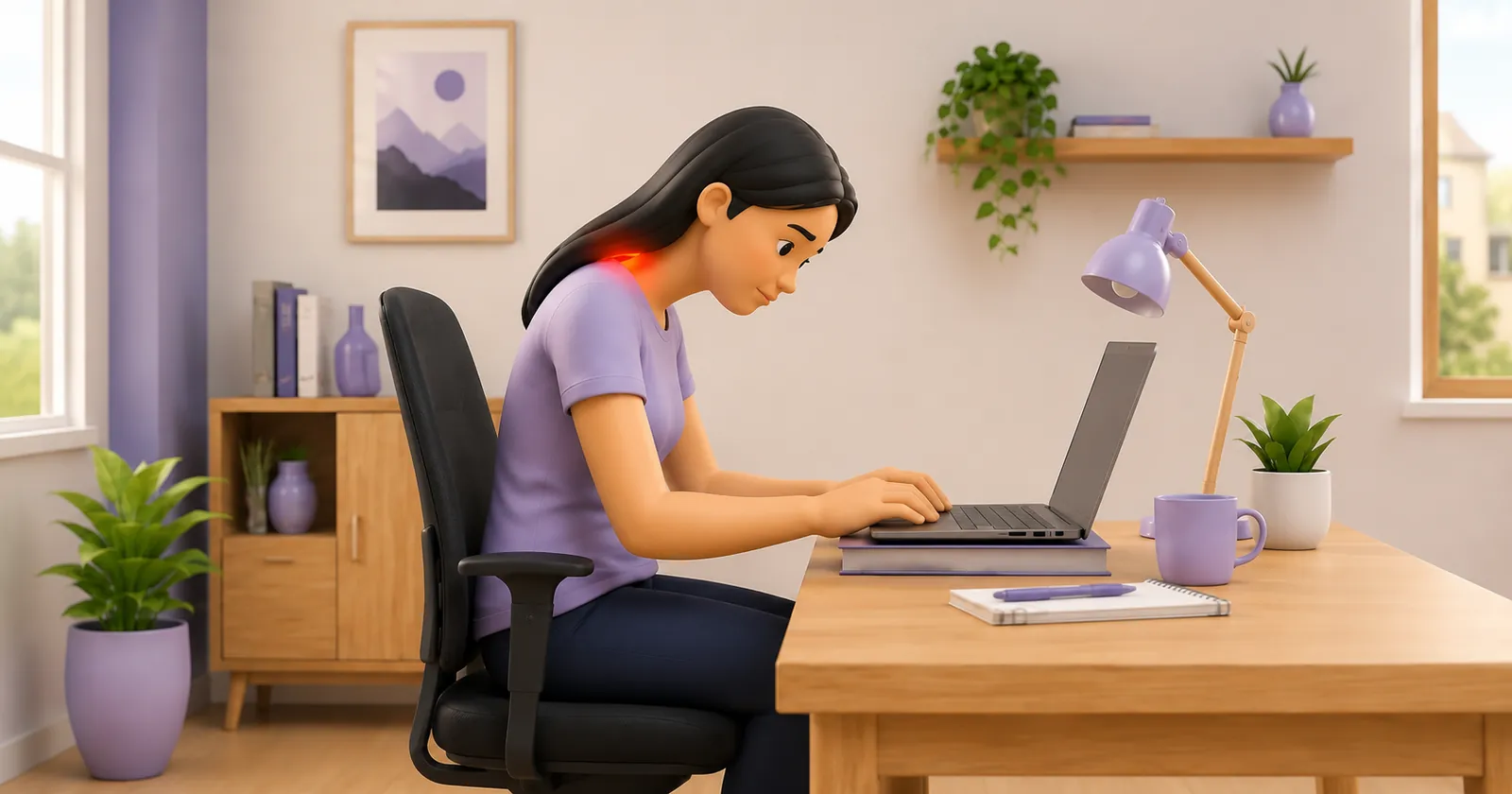
The modern computer workstation was engineered for industrial efficiency rather than human anatomy. Standard flat keyboards and traditional optical computer mice force the upper extremity into three severe, sustained biomechanical deviations: full forearm pronation, wrist extension, and sharp ulnar deviation. For software developers, data entry specialists, and corporate professionals who execute tens of thousands of keystrokes daily, these unnatural postures place the median and ulnar nerves under chronic mechanical strangulation. Transitioning to an ergonomically designed split keyboard and a contoured vertical mouse represents an essential non-pharmacological intervention to restore neutral joint alignment, offload peripheral nerve canals, and prevent occupational entrapment neuropathies.
Workstation Setup Dilemmas Across Indian Tech Ecosystems
In Indian tech corridors such as Whitefield in Bengaluru, Hitec City in Hyderabad, and Cyber City in Gurgaon, professionals frequently work from compact laptops provided by corporate employers. Whether working within crowded cubicles or from makeshift home desks, employees rest their forearms flat against desk surfaces, angling their hands outward like claws to fit compact laptop keyboards. Similarly, operating a flat mouse forces the wrist to slide back and forth across hard surfaces, creating focal contact pressure directly over Guyon canal and the carpal tunnel. Many professionals accept tingling fingers as an unavoidable occupational hazard, unaware that hardware redesign can eliminate nerve strain.
The Biomechanical Triad: Pronation Torque, Ulnar Deviation, and Contact Stress
Operating standard computing hardware triggers three distinct pathological vectors. First, typing on a flat keyboard requires 90 degrees of complete forearm pronation. This twists the radius across the ulna, placing the interosseous membrane under torsional tension and elevating pressure across the pronator teres muscle and the radial tunnel. Second, because standard keyboards are too narrow to accommodate shoulder-width arm alignment, typists compensate by deviating their wrists outward (ulnar deviation) by 15 to 25 degrees. Ulnar deviation dramatically increases friction across the flexor retinaculum, driving the median nerve against the scaphoid and trapezium. Third, resting the wrist on a desk while gripping a flat mouse forces the wrist into 20 degrees of extension while applying direct focal pressure over the pisiform and hook of the hamate, compressing the ulnar nerve inside Guyon canal. A split keyboard allows outward angling and tenting to eliminate pronation and ulnar deviation, while a vertical mouse places the hand in a neutral 57-degree handshake grip.
Hardware Selection, Transition Protocols, and Workstation Setup
When prescribing ergonomic hardware, physiotherapists guide patients through a structured adaptation timeline. An adjustable split keyboard allows users to separate the two keyboard halves to match their individual shoulder width, angling each half outward by 10 to 20 degrees and adding 10 to 15 degrees of central tenting to keep forearms in semi-pronation. A vertical ergonomic mouse should support the entire hand, positioning the thumb comfortably in an opposing groove and eliminating forearm pronation torque. Desk height must be calibrated so that shoulders remain completely relaxed, elbows rest at 90 to 100 degrees, and chair armrests support the proximal forearms while allowing wrists to float freely without touching desk surfaces.
Desktop Forearm Supination and Ulnar Deviation Release Drill
Objective: Release pronator and extensor tension accumulated from computing and recalibrate neutral joint alignment
- 1Push your chair back from your desk, sit tall with your spine upright, and let your arms hang loosely at your sides.
- 2Slowly rotate your forearms outward so that your palms face forward and your thumbs point away from your body into full supination.
- 3Gently draw your shoulder blades backward and downward toward your spine, feeling your chest open comfortably.
- 4Hold this open posture for 5 seconds, taking 2 deep diaphragmatic breaths to clear muscular tension.
- 5Bring your hands back up to your input devices, consciously ensuring your wrists remain completely straight and unbent.
| Biomechanical Parameter | Standard Flat Keyboard & Mouse | Ergonomic Split Keyboard & Vertical Mouse |
|---|---|---|
| Forearm Pronation Angle | 85 to 90 degrees (complete pronation; high interosseous torsional strain) | 45 to 55 degrees (neutral natural handshake resting posture) |
| Wrist Ulnar Deviation | 15 to 25 degrees outward deviation (strains carpal canal flexor tendons) | Zero degrees (straight, neutral alignment matching forearm angle) |
| Volar Carpal Contact Stress | High; heel of palm rests continuously on hard desk surface or gel pad | Zero; forearms supported on chair armrests; wrists float freely in space |
| Typing Muscle Load | High sustained static contraction in pronator teres, ECRB, and trapezius | Significantly lower muscular EMG activity across all forearm compartments |
Transitioning to a split keyboard and vertical mouse involves an initial temporary reduction in typing speed for the first 7 to 10 days as new motor patterns are consolidated in the motor cortex. Patients must be reassured that this adaptation plateau is normal and temporary. Giving up after two days and returning to flat keyboards locks the upper extremity into chronic nerve-crushing postures.
Frequently Asked Questions
Will switching to a vertical mouse completely cure my carpal tunnel syndrome?
A vertical mouse is a powerful ergonomic tool that removes direct pressure from your wrist and eliminates twisting strain on your forearm. However, it works best as part of a complete recovery plan that includes wearing a neutral night splint to heal your nerve during sleep, taking regular active micro-breaks, and doing prescribed nerve gliding exercises.
Do I need a doctor referral to see a peripheral nerve physiotherapist on BookPhysio.in?
BookPhysio.in does not require a physician prescription. Under the National Commission for Allied and Healthcare Professions (NCAHP) Act 2021, patients across India enjoy direct access to autonomous registered physiotherapists. Through BookPhysio.in, you connect directly with verified clinicians and pay per session with transparent fees, completely free from advance package commitments, commission markups, or platform subscription charges.
Related condition guides


Related recovery guides & articles
BookPhysio.in Editorial Team
The BookPhysio.in editorial team writes and maintains this content, checking it against reliable clinical sources. Content follows our medical review policy: general information only, and no page claims a clinical review until a named registered physiotherapist has signed it off.
Read our medical review policy