
WFH Laptop Ergonomics in India: Neck Pain, Thoracic Kyphosis and Active Microbreaks
In short
Laptops force a dangerous trade-off: if the screen is at eye level, the keyboard is too high; if the keyboard is at elbow level, the screen forces neck flexion. Learn how simple Indian home workstation adaptations and 2-minute microbreaks prevent tech neck and thoracic kyphosis.
In this guide (6 sections)
The Biomechanical Dilemma of Laptop Work
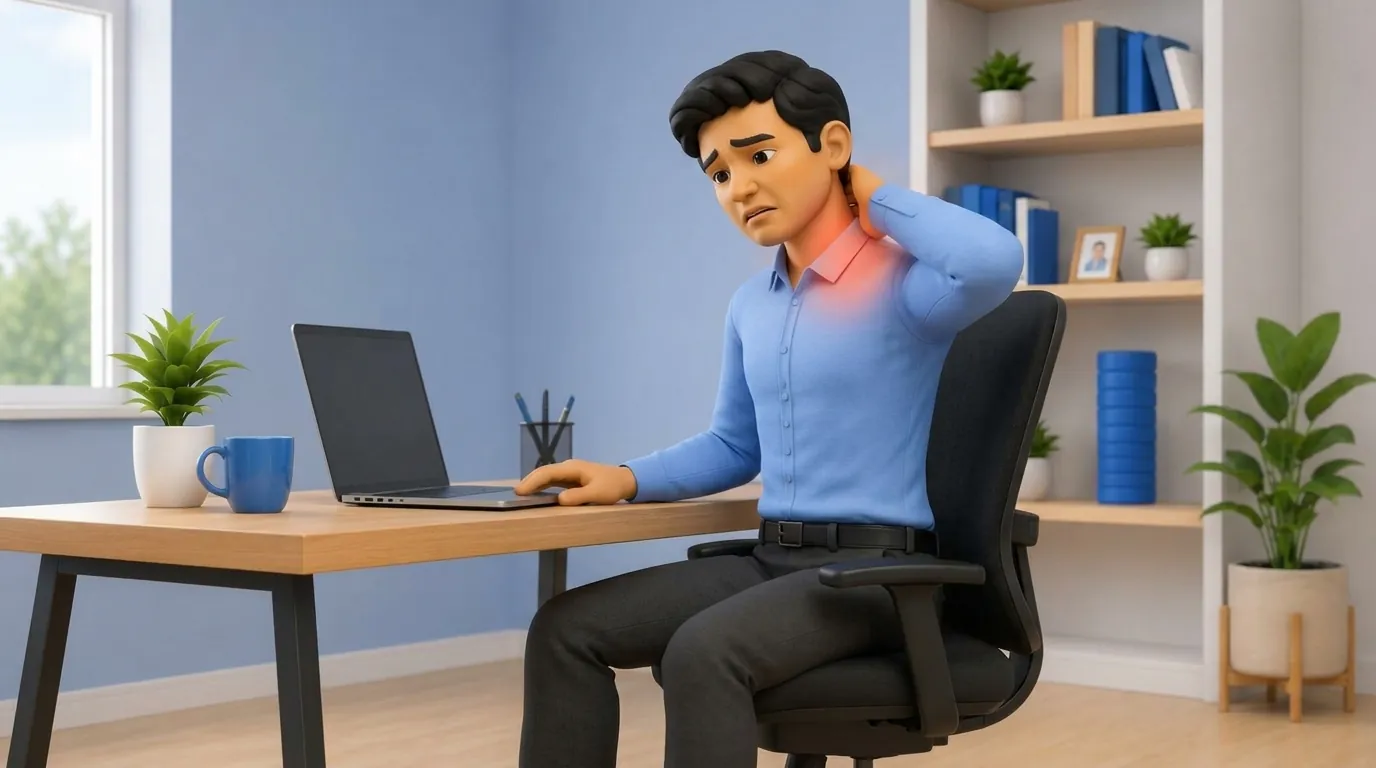
Millions of Indian IT and corporate professionals in Bengaluru, Hyderabad, Pune, Gurgaon, and Mumbai work long 9 to 12-hour days on portable laptops. Many work from dining chairs, low coffee tables, or cross-legged on beds.
Laptops were designed for temporary portability, not continuous full-time desk work. Because the keyboard and screen are mechanically joined, placing the laptop on a standard table forces the neck down into 30 to 45 degrees of persistent flexion.
The Physics of Forward Head Posture: Kapandji Calculations
The human head weighs approximately 4.5 to 5.5 kilograms in a neutral upright posture. As the head tilts forward, gravitational torque multiplies dramatically.
| Head Tilt Angle | Effective Weight on Cervical Spine | Anatomical Impact | Symptoms | |
|---|---|---|---|---|
| 0 Degrees (Neutral Alignment) | 5 kilograms (11 lbs) | Weight balanced on vertebral bodies | Optimal joint spacing; relaxed musculature | |
| 15 Degrees Forward | 12 kilograms (27 lbs) | Increased posterior ligamentous tension | Early neck stiffness at end of workday | |
| 30 Degrees Forward | 18 kilograms (40 lbs) | Deep facet joint compression at C5-C7 | Burning trapezius knot; interscapular ache | |
| 60 Degrees (Typical Laptop Slouch) | 27 kilograms (60 lbs) | Extreme disc shear; suboccipital nerve pinch | Cervicogenic headaches, numbness in fingers |
The Non-Negotiable Three-Piece Laptop Setup
You do not need an expensive imported ergonomic desk to protect your spine. The essential solution requires just three affordable components.
- A Laptop Riser or Stand: Elevate your laptop so the top third of the screen sits exactly at your horizontal eye level. In a pinch, a sturdy stack of hardbound books works just as effectively.
- An External Keyboard: Position your external keyboard flat on the table so your elbows rest at a comfortable 90-degree angle with relaxed shoulders.
- An External Mouse: Keep the mouse immediately beside the keyboard to avoid reaching forward or abducting your shoulder. By uncoupling the screen from the keyboard, you instantly eliminate the need to crane your neck downward.
The 20-20-2 Active Microbreak Protocol
No ergonomic chair can compensate for prolonged static sitting. Adopt the 20-20-2 rhythm: every 20 minutes, take a 20-second break, look at an object 20 feet away to relax your optical accommodation muscles, and spend 2 minutes performing active spinal mobility.
- Chin Tucks (Cervical Retraction): Look straight ahead and gently slide your chin straight backward as if making a double chin. Hold for 3 seconds. This unloads the anterior cervical discs and strengthens deep neck flexors.
- Thoracic Extension Over Chair: Clasp your hands behind your head and gently extend your upper back over your chair backrest, taking a deep breath in.
- Scapular Pinches: Squeeze your shoulder blades together and downward, holding for 5 seconds to wake up the middle and lower trapezius.
Chair and Lumbar Support Optimization at Home
If you use a wooden dining chair, it lacks lumbar contouring. Roll a standard bath towel into a cylinder approximately 4 inches thick and place it horizontally behind your lower back at belt level. Ensure your feet rest flat on the floor; if your legs dangle, place a firm cardboard box or yoga block under your feet to prevent thigh pressure.
Frequently Asked Questions
Is it bad to work on a laptop while sitting cross-legged on the bed?
Working on a bed is exceptionally hazardous for your spine. The soft mattress causes your pelvis to tilt backward into maximum lumbar flexion, while looking down at a laptop in your lap triples cervical disc pressure. Keep bed for sleeping and use a dedicated table and chair for work.
Will a standing desk converter cure my back pain?
Alternating between sitting and standing is beneficial. However, standing statically for 8 hours introduces foot fatigue and lumbar extension fatigue. The ideal ratio is 45 minutes of supported sitting followed by 15 minutes of standing and walking.
Why do I get headaches behind my eyes after working on my laptop?
Prolonged forward head posture compresses the suboccipital nerves at the base of the skull (C1-C2). This radiates pain upward over the scalp and behind the eyes, a condition known as cervicogenic headache. Chin tucks and ergonomic screen height adjustments provide lasting relief.
Related condition guides


Related recovery guides & articles
BookPhysio.in Editorial Team
The BookPhysio.in editorial team writes and maintains this content, checking it against reliable clinical sources. Content follows our medical review policy: general information only, and no page claims a clinical review until a named registered physiotherapist has signed it off.
Read our medical review policy