
Computer Vision Syndrome (CVS) & Digital Eye Strain: 20-20-20 Rule, Gaze Breaks & Cervical Ergonomics
In short
Burning eyes, blurred vision, headaches, and a stiff neck after hours of screen work. Discover evidence-based ergonomic corrections and gaze retraining for digital eye strain.
In this guide (5 sections)
Understanding Computer Vision Syndrome (CVS)
Computer Vision Syndrome (CVS), formally recognized as Digital Eye Strain (DES), encompasses a constellation of ocular, visual, and musculoskeletal symptoms resulting from prolonged use of computers, tablets, and smartphones. Epidemiological studies indicate that up to 70 to 90 percent of computer users and IT professionals in India experience regular CVS symptoms.
Prolonged near-work demands constant contraction of the ciliary muscles (accommodation) and medial rectus muscles (convergence). When forced to maintain focus on pixelated digital screens for hours without relief, these muscles develop acute accommodative spasm and microvascular fatigue, while blink rates drop precipitously from a normal 15 to 20 blinks per minute down to just 5 to 7 blinks per minute, causing rapid tear film evaporation and dry eyes.
The Musculoskeletal-Ocular Feedback Loop
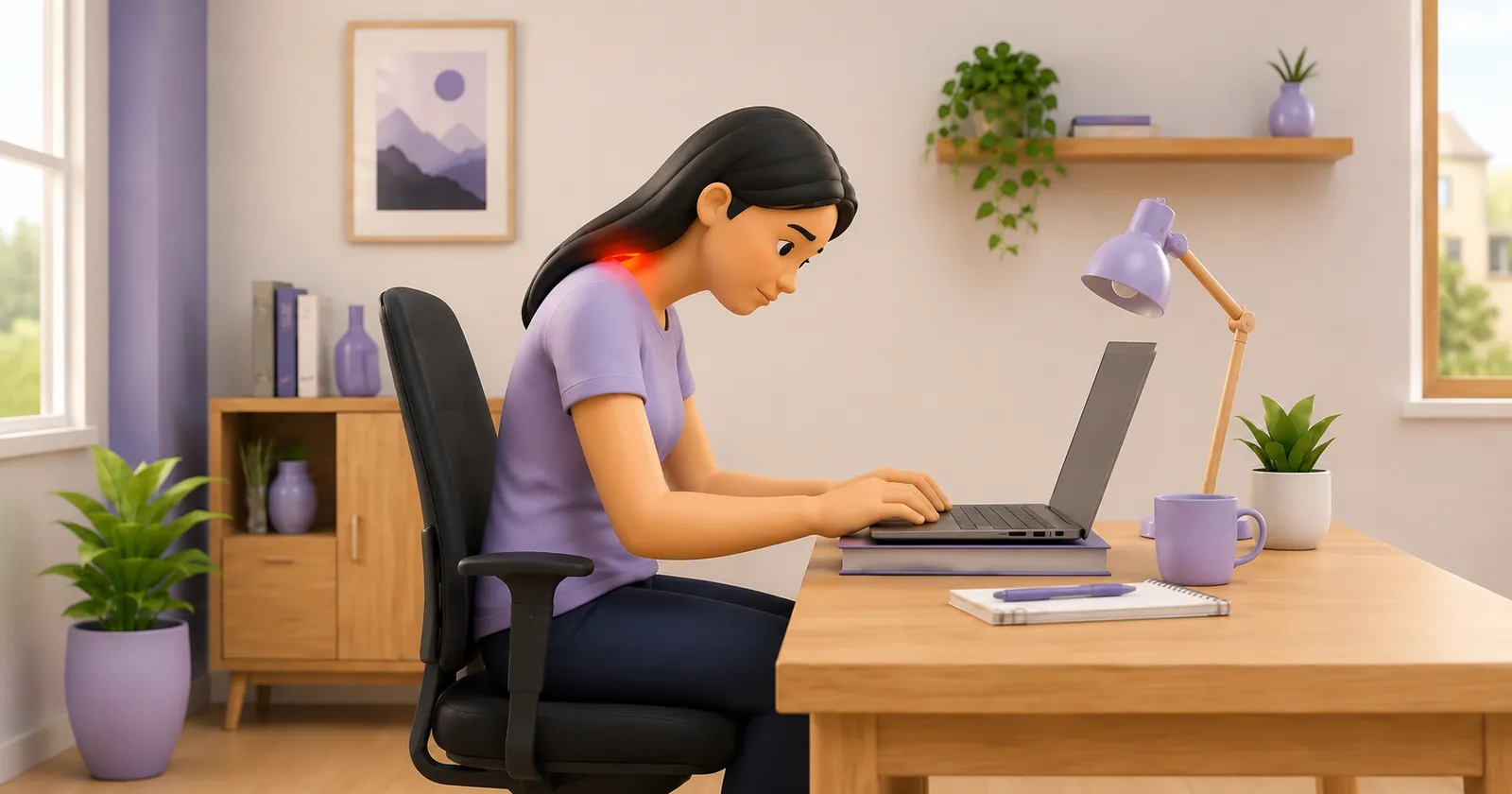
Vision and cervical posture are inextricably linked through the vestibulo-ocular and cervico-ocular reflexes. When screen contrast is poor, fonts are too small, or glare reflects off the monitor, workers unconsciously crane their neck forward (forward head posture) to bring their eyes closer.
For every inch the head migrates forward, the effective weight on the suboccipital and upper trapezius muscles increases dramatically. The resulting cervical muscle tension compresses the greater and lesser occipital nerves, triggering tension headaches that radiate back behind the eyes.
| Ergonomic Parameter | Recommended Standard | Biomechanical Rationale | |
|---|---|---|---|
| Monitor Viewing Distance | 50 to 70 cm (Arm's length) | Minimizes convergence demand on medial rectus muscles | |
| Vertical Monitor Height | Top 1/3 of screen at eye level | Maintains a 15 to 20 deg downward gaze, reducing palpebral fissure exposure | |
| Ambient Lighting Contrast | 1:3 ratio between screen and room | Prevents pupillary constriction fatigue and glares | |
| Font Display Scaling | Minimum 125% to 150% scaling on high-res | Eliminates forward-head squinting and cervical craning | |
| Screen Refresh Rate | >= 75 to 120 Hz with anti-glare matte | Eliminates imperceptible micro-flicker that exhausts ciliary nerves |
The 20-20-20 Rule and Dynamic Gaze Breaks
Developed by optometrist Dr. Jeffrey Anshel, the 20-20-20 rule is the recognized clinical standard for breaking continuous near-point visual accommodation.
Every 20 minutes, look away from your screen at an object at least 20 feet (6 meters) away for a minimum of 20 seconds. This simple pause allows the ciliary muscles to relax completely into their resting configuration.
- The Full-Blink Microbreak: Consciously perform 10 slow, complete blinks (squeezing gently for 1 second) every hour to restore the lipid layer across the cornea.
- Palming for Photoreceptor Rest: Rub palms together to generate warmth and gently cup them over closed eyes without touching the eyeballs for 30 seconds of total darkness.
- Suboccipital Chin Tucks: Perform 5 gentle double-chin retractions while taking a 20-20-20 break, decompressing the upper cervical facet joints.
Blue Light Filters: Evidence vs Marketing
While commercial blue-blocking glasses are widely marketed, clinical trials demonstrate that digital eye strain is driven primarily by accommodation fatigue, dry eyes, and poor ergonomics rather than blue light itself. Optimizing workstation lighting, screen distance, and taking regular breaks provides far superior relief.
Frequently Asked Questions
Why do my eyes burn and feel sandy after working on my laptop?
When concentrating on screens, your natural blink rate drops by more than 60 percent. This causes your tears to evaporate rapidly, leaving microscopic dry patches on your cornea that feel like sand or burning.
Can computer eye strain cause chronic neck and shoulder stiffness?
Yes. Subconsciously squinting or leaning forward to read small text pulls your head into an extreme forward posture, overloading the neck and shoulder muscles and pinching nerves that refer pain around the eyes.
How high should my computer screen be placed?
The top edge of your monitor screen should sit directly level with your resting eye gaze, so that you look slightly downward (at a 15 to 20 degree angle) toward the center of the display.
Related condition guides

Related recovery guides & articles
BookPhysio.in Editorial Team
The BookPhysio.in editorial team writes and maintains this content, checking it against reliable clinical sources. Content follows our medical review policy: general information only, and no page claims a clinical review until a named registered physiotherapist has signed it off.
Read our medical review policy